
How to add CAPTCHA to Beaver Builder
Add a free, privacy-first CAPTCHA to Beaver Builder contact modules — Procaptcha blocks bot submissions without breaking your page-builder layout.


What is Beaver Builder?
Beaver Builder is a powerful drag-and-drop page builder plugin for WordPress that allows users to create custom layouts and designs without needing to write code. It provides a user-friendly interface with a variety of pre-built modules, such as text blocks, images, buttons, and more, enabling users to build responsive pages easily.
Why Use Prosopo Procaptcha With Beaver Builder?
Prosopo is a specialist bot and agent trust platform. Every verdict traces to a rule the operator authored, on a proprietary detector with an open-source client stack. UK-incorporated, EU-processed, GDPR-native. It stops the abuse patterns WordPress form spam alone doesn't cover:
- Scraping
- Denial of inventory
- Credential stuffing
- Account takeover
- Click through rate/ad fraud
- Ticket scalping
- Black friday automation (and more general sale automation)
- Phishing attacks
- Loyalty programme automation
Prosopo also keeps visitor data out of Google's data controller chain for reCAPTCHA telemetry — the 2026 reCAPTCHA terms change reclassified Google as controller rather than processor.

How to integrate Prosopo Procaptcha with Beaver Builder
Install the Prosopo WordPress plugin
Register for a free account on Prosopo
Login to the Prosopo dashboard, and copy your site key and secret key
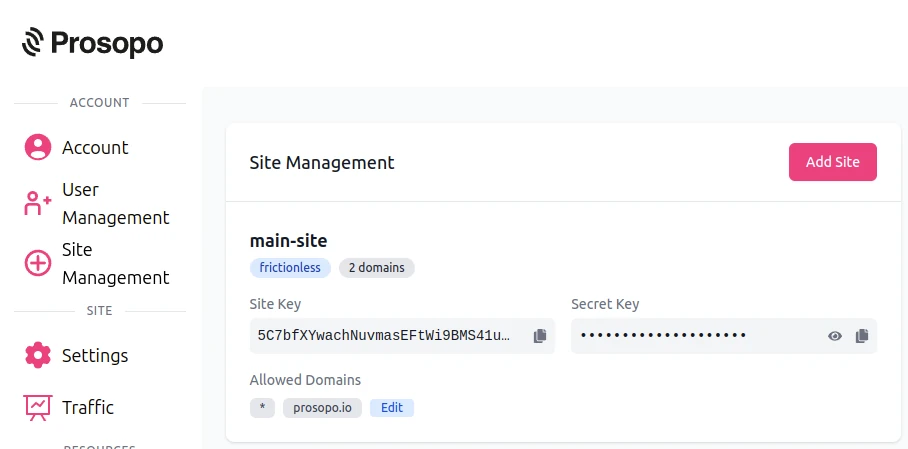
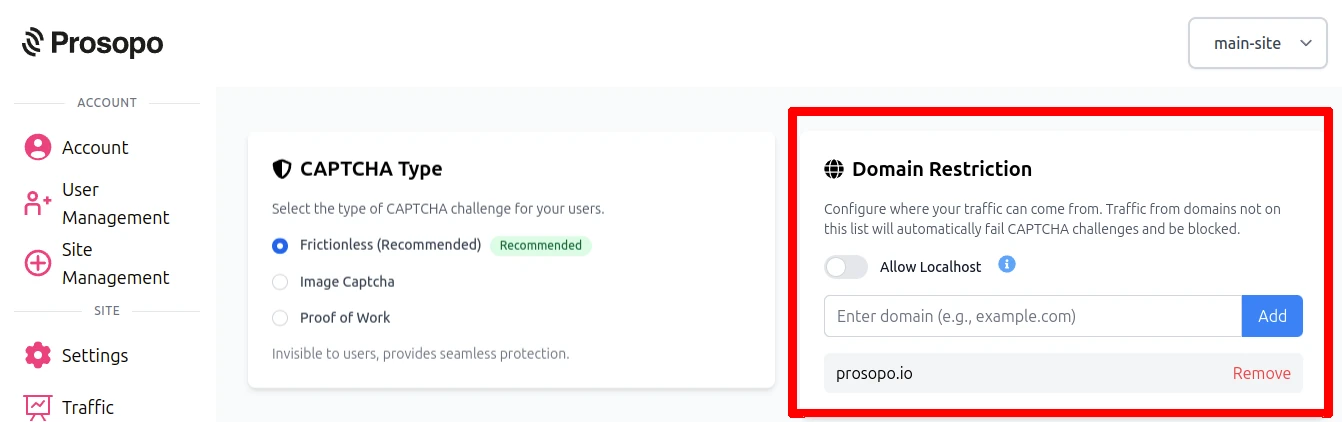
- Add your domain in the Prosopo dashboard, if it is not already present
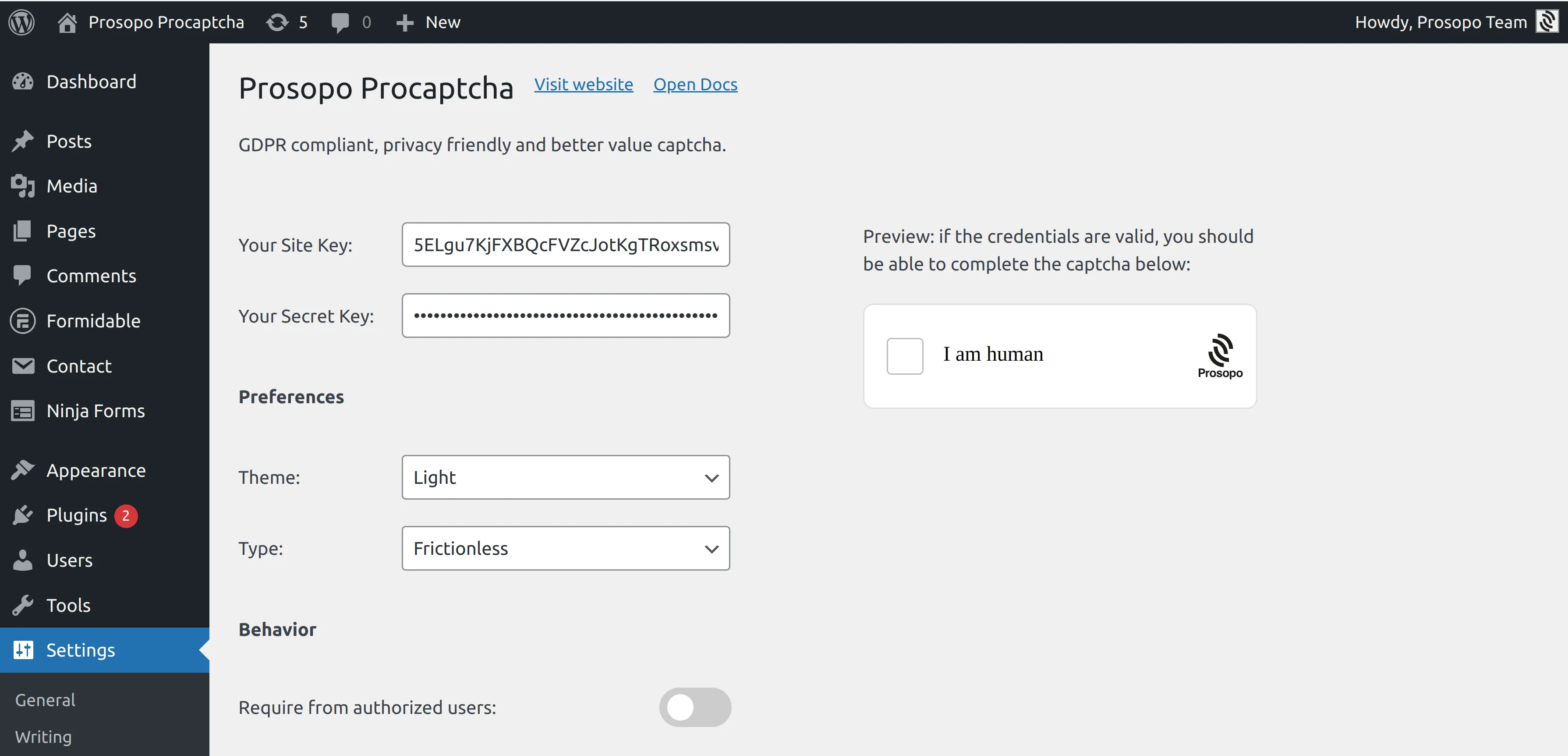
- Add your site key and secret key to the Prosopo WordPress plugin settings. You can find them in Site Management in the Prosopo dashboard.
- From within any Contact or Subscribe form in Beaver Builder, enable "Procaptcha protection".
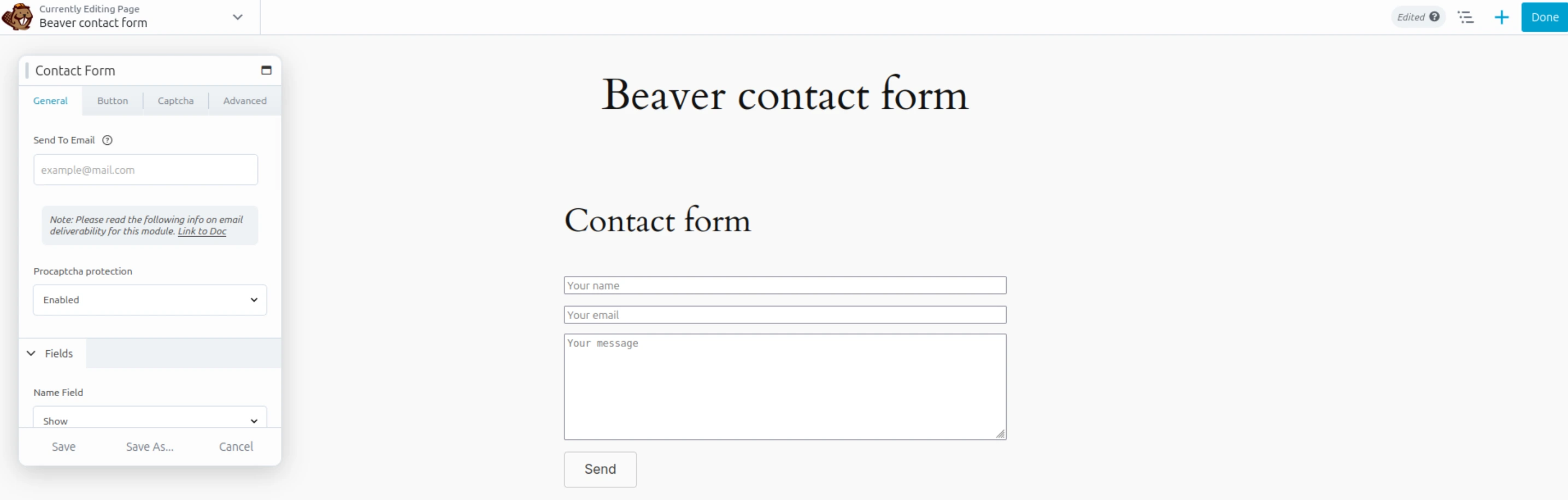
Once you save the page, CAPTCHA will automatically be included in the chosen form.
Note: Login form protection is managed through the shared Procaptcha settings ("Account forms" tab)