
How to add CAPTCHA to Jetpack
Kill spam on Jetpack comment and contact forms — Procaptcha adds a free, privacy-first CAPTCHA that blocks bots without asking users to solve puzzles.


What is Jetpack?
Jetpack is an all-in-one plugin for WordPress that offers a wide range of features to enhance site performance, security, and user engagement. Developed by Automattic, it integrates multiple functionalities in one plugin, making it a popular choice for WordPress users.
Key features of Jetpack include site security tools such as malware scanning, brute force attack protection, and automated backups. It also provides performance optimization tools, including image and video CDN (Content Delivery Network) for faster loading times, and lazy loading to improve site speed.
Jetpack enhances site customization with themes, custom CSS, and widgets, as well as powerful analytics tools to track site traffic and user behavior. It also integrates social sharing buttons, enabling easy content sharing across social media platforms.
The plugin offers SEO tools to improve search engine visibility and provides automated email subscriptions for blog updates. Additionally, Jetpack includes comments management, allowing users to leave comments via their social media accounts, and contact forms for easy visitor communication.
Jetpack has a free version with essential features, and premium plans provide advanced tools like site backups, enhanced SEO, and additional storage. Overall, Jetpack streamlines WordPress site management by providing comprehensive security, performance, and engagement tools in a single package.
Prosopo is a specialist bot and agent trust platform. Every verdict traces to a rule the operator authored, on a proprietary detector with an open-source client stack. UK-incorporated, EU-processed, GDPR-native. It stops the abuse patterns WordPress form spam alone doesn't cover:
- Scraping
- Denial of inventory
- Credential stuffing
- Account takeover
- Click through rate/ad fraud
- Ticket scalping
- Black friday automation (and more general sale automation)
- Phishing attacks
- Loyalty programme automation
Prosopo also keeps visitor data out of Google's data controller chain for reCAPTCHA telemetry — the 2026 reCAPTCHA terms change reclassified Google as controller rather than processor.

How to integrate Prosopo Procaptcha with Jetpack
Install the Prosopo WordPress plugin
Register for a free account on Prosopo
Login to the Prosopo dashboard, and copy your site key and secret key
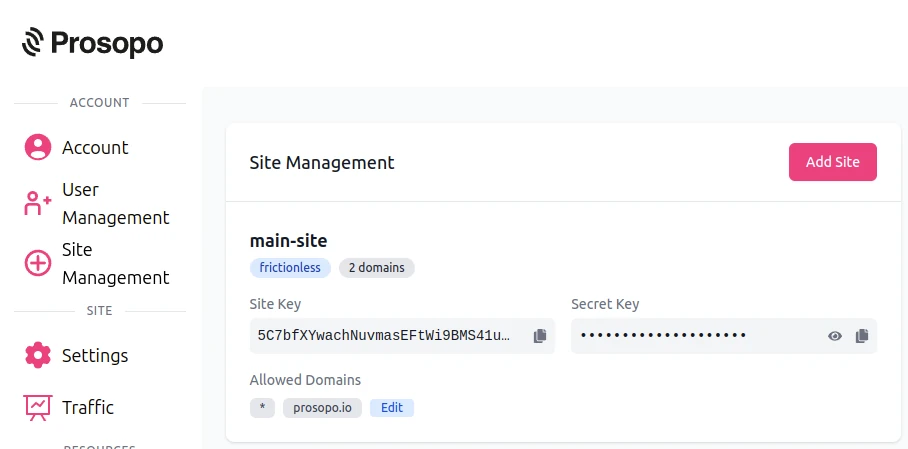
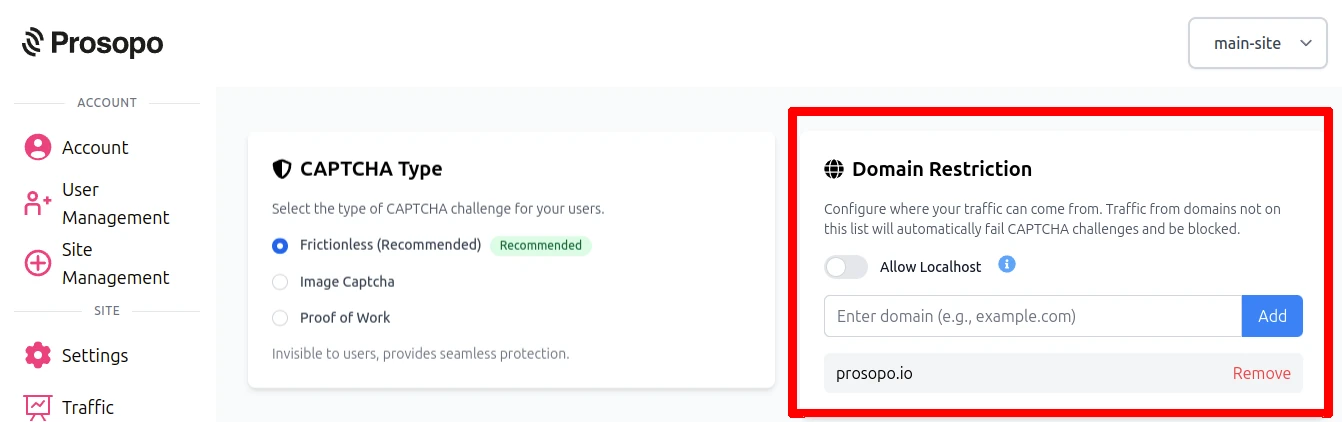
- Add your domain in the Prosopo dashboard, if it is not already present
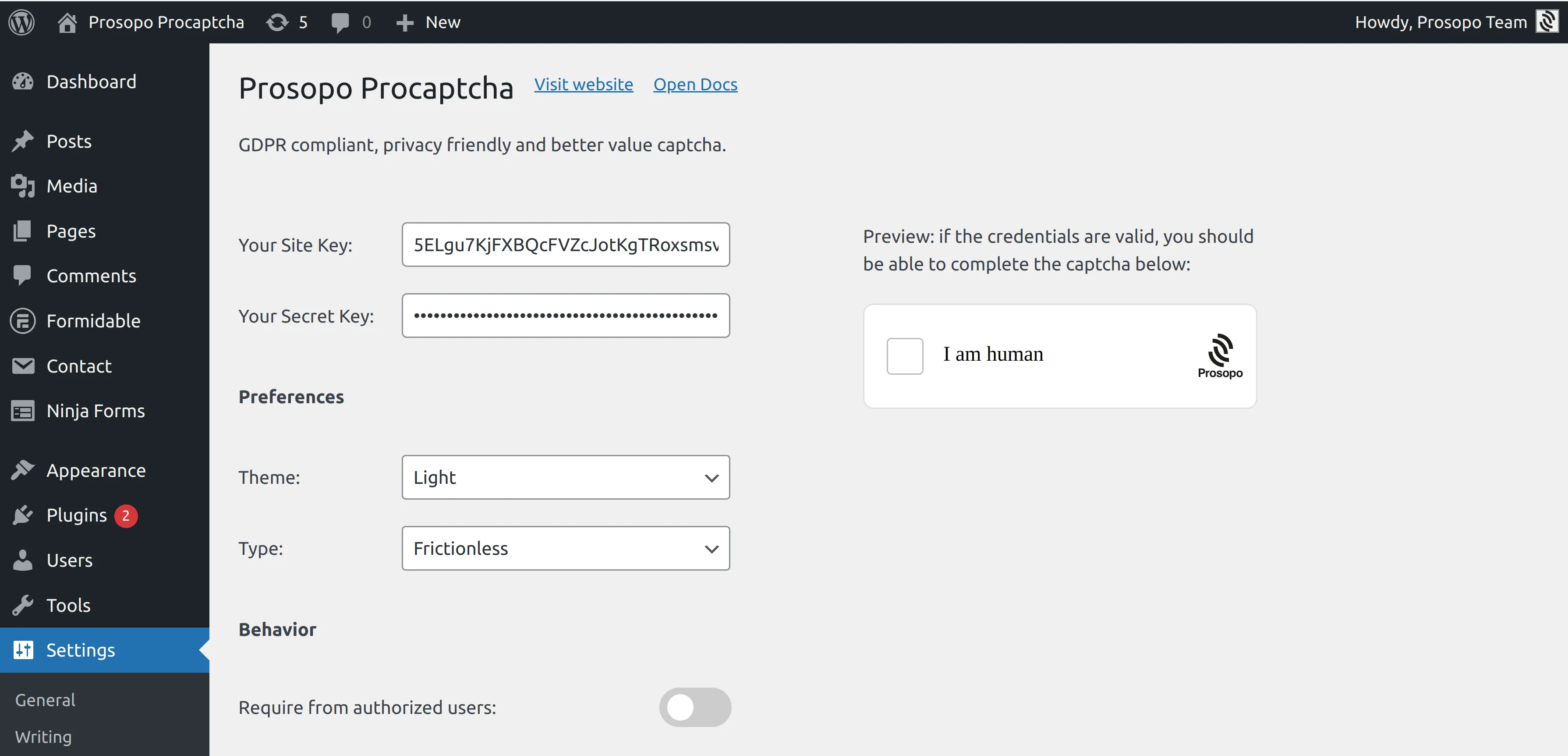
- Add your site key and secret key to the Prosopo WordPress plugin settings. You can find them in Site Management in the Prosopo dashboard.
- From within any Form in Jetpack, select "Prosopo Procaptcha".
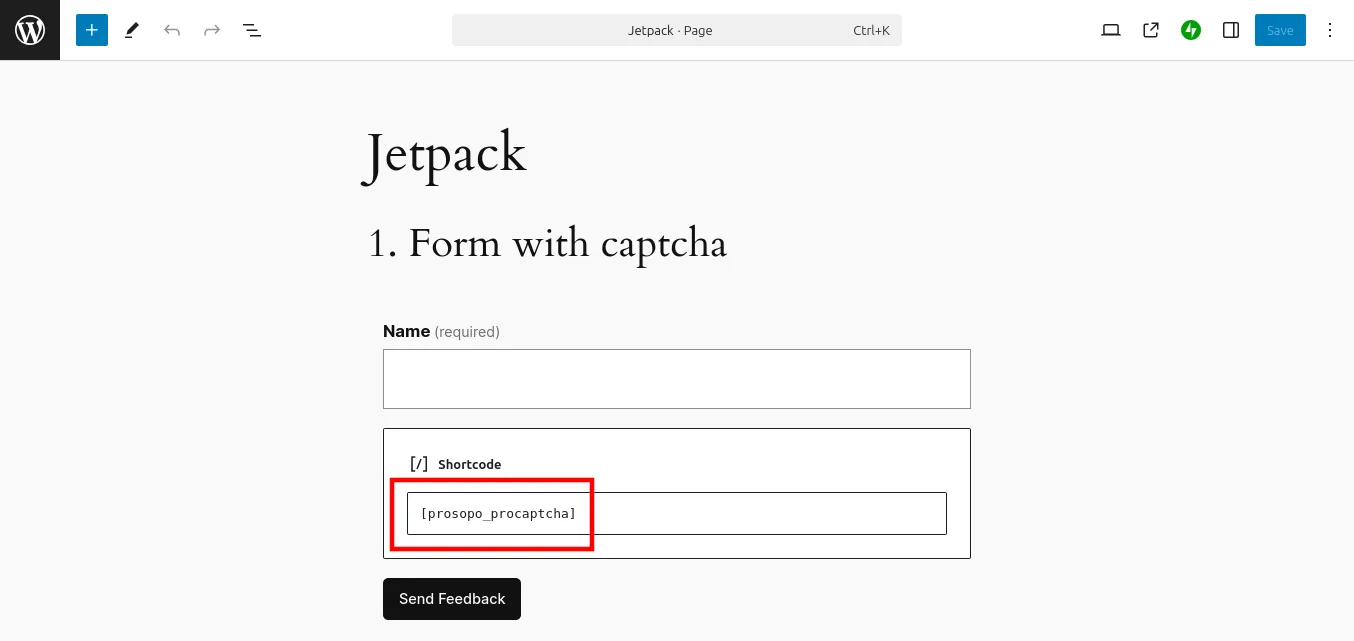
Once you save the form, CAPTCHA will automatically be included in it. Remember to repeat the process for every Jetpack Form you want to add CAPTCHA to.
Related
- Spam bot protection — the broader use case: why your forms get spam and how to stop it across every platform.
- Free anti-spam for WordPress — all 16 WordPress plugin integrations on one page, plus Akismet positioning.
- Spam Filter — pair the CAPTCHA with email-pattern and traffic-source filtering (Gmail dot-trick, VPN/Tor, disposable domains).